WHOOP AI in Practice: Strain Coach and Sleep Coach for Runners
How WHOOP 5.0's AI tools actually work. A practical guide to Strain Coach and Sleep Coach with real data and tips for runners.
WHOOP 5.0 brought two AI features that get talked about way more than people actually use them: Strain Coach and Sleep Coach. Gear Patrol recently asked whether WHOOP's AI tools are the future of fitness or a cautionary tale. Users can't agree. I tested both features for three months while running and lifting, and here's a practical guide—what works, what doesn't, and how to get the most out of them without becoming a slave to the algorithm.
What Are Strain Coach and Sleep Coach
Before I dive into the real-world stuff, a quick primer for anyone who hasn't encountered these yet.
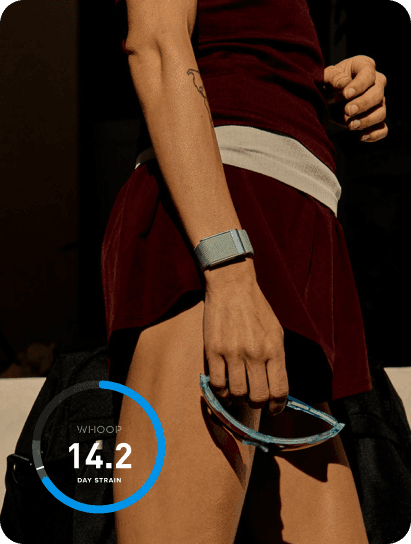
Strain Coach is a feature that recommends your optimal daily strain level based on your current recovery score (how recovered you are). WHOOP measures strain on a 0–21 scale. If your recovery is 85%, Coach tells you to go hard. If it's 35%, it suggests an easy day.
Sleep Coach recommends when to go to bed and how many hours you need. According to WHOOP's official description, it factors in your recovery score, accumulated strain, chronotype (whether you're a night owl or early bird), sleep debt, and historical data. But I should clarify: WHOOP doesn't publish the exact algorithm or the weight of each input. What I describe below comes from my own observations and what WHOOP says on their blog—not internal documentation.
Both features existed in simpler form in WHOOP 4.0. Version 5.0 expanded them with more detailed recommendations and—according to WHOOP—better personalization thanks to more data.
Strain Coach: When to Listen and When to Ignore
How I Use It for Running
My typical week looks like this: three runs (one tempo, one long, one easy), two strength sessions, two rest days. Strain Coach tries to weigh in every morning.
Here's the first critical thing: Strain Coach doesn't know your training plan. It has no idea that today you're supposed to do a tempo run at 8 km. It only sees your recovery and historical strain. So when it tells you on tempo day that your "recommended strain is 8–12" (light to moderate), that doesn't mean you should skip the tempo work.
Where Strain Coach actually helps me:
- Rest days. When my recovery is below 40% and Coach says "strain up to 8," I take it seriously. I used to have a tendency to at least do an easy run. Now I'll take a walk or do yoga instead.
- Double days. Sometimes I want to add an afternoon strength session to a morning run. When Coach shows a recommended strain of 14–16, I know I can handle it. When it shows 10, I skip it.
- Deload weeks. Once every 3–4 weeks I cut volume. Strain Coach confirms it makes sense—recovery score goes up, recommended strain goes up too.
Where I ignore it:
- Race day. Strain Coach has no idea I'm running a half marathon in three hours. A "strain 12" recommendation is useless in that context.
- Periodization. If I'm training with progressive overload, Coach sometimes panics. Two consecutive high-strain days and recovery drops—Coach says "rest." But I know day three is a rest day anyway. That's context AI doesn't have.
Practical Tip: Use It as a Brake, Not a Steering Wheel
Strain Coach works best as a safety mechanism, not a training plan. It tells you when you're overdoing it. It doesn't tell you how to train.
A concrete example from my data: in March I had a week where I hit strain over 16 three days in a row. Recovery dropped to 28%. Coach recommended strain 4–6. I listened. One rest day, a light walk. Two days later, recovery at 72%. If Coach hadn't flagged it, I would've done that Thursday run and probably gotten stuck in a bad recovery cycle.
Sleep Coach: A Deeper Look for Runners
Sleep Coach is the one of the two that changed more for me. But not in the way you'd expect.
What Sleep Coach Recommends and Why
Every evening WHOOP shows me a recommended bedtime and required sleep duration. The CDC recommends 7–9 hours for adults. Sleep Coach goes further—it personalizes it based on your data.
In my case: after high-strain days (tempo runs or long runs), Coach recommends roughly 8:15–8:30 hours. After easy days, 7:30–7:45 is enough. A 30–45 minute difference seems small, but over a month it adds up to hours.
Here's my own habit I developed over three months of testing: I set my alarm 30 minutes earlier than Sleep Coach says I should wake up. Why? WHOOP measures time in bed, not actual sleep time. Those 30 minutes are a buffer for falling asleep and nighttime waking (with two young kids, that's not theory—it's reality). Since then my sleep efficiency stays around 87%; before it was 79%.
What My Numbers Say
The following numbers are my personal WHOOP data from April–June 2024. These aren't results from a scientific study. They illustrate what Sleep Coach can do for one specific person—not universal proof.
- Average sleep duration before Sleep Coach (January–March): 6:48
- Average sleep duration with Sleep Coach (April–June): 7:22
- Resting heart rate (RHR): dropped from an average of 52 to 48 bpm
- Heart rate variability (HRV): increased from an average of 42 ms to 51 ms
- Average recovery score: from 54% to 63%
Correlation doesn't mean causation. In April I also stopped drinking coffee after 2 PM and started walking more. But that 34-minute increase in daily sleep duration is directly because I started taking Sleep Coach's recommendations seriously. Before, I thought "seven hours is enough." The data showed otherwise.
Sleep Coach vs. Traditional Sleep Hygiene
This is an important comparison because a lot of Sleep Coach's advice isn't new. Go to bed at the same time. Give yourself enough time. Don't eat right before bed. You've heard all this in every other sleep article.
Where Sleep Coach adds value:
- It quantifies sleep debt. It doesn't just say "sleep more." It says "you have a 2:15 hour debt; you need 8:40 tonight." That's concrete and motivating.
- It responds to training load. After a race or hard workout, it automatically increases the recommendation. Traditional sleep hygiene doesn't do that.
- It tracks trends. After two weeks you see whether your debt is shrinking or growing. A spreadsheet could do this too, but who actually does that.
Where Sleep Coach adds nothing:
- Sleep environment quality. WHOOP doesn't know your bedroom is 75°F and a streetlight shines in your window. That takes common sense, not AI.
- Stress and mental load. During the week we dealt with a critical system deployment at work, Sleep Coach cheerfully recommended going to bed at 10:15 PM. Great. But your brain doesn't shut off on command.
Where WHOOP's AI Tools Fall Short
Gear Patrol's article raises a real question: do AI tools in fitness wearables create more anxiety than benefit? For certain people, they're right.
Problem One: Over-Reliance on Numbers
I had a period where I'd open WHOOP in the morning and let my recovery score decide what kind of day I'd have. Recovery 40%? Today will suck. Recovery 90%? I can do anything. That's nonsense. Recovery score is a useful data point, not a prophecy.
Strain Coach amplifies this. When an algorithm tells you "recommended strain 6–8" but your plan calls for a hard workout, you get internal conflict. Do I listen to Coach or my plan? Answer: your plan comes first; Coach is an advisor. But not everyone sees it that way.
Problem Two: Missing Context
AI doesn't have access to information that fundamentally affects your performance and recovery:
- You're getting sick but don't have symptoms yet
- You're stressed at work or home
- You changed your diet
- You're on vacation and just want to run for fun
- You're training for a specific race with a specific plan
WHOOP collects physiological data. That's a lot, but it's not everything.
Problem Three: False Precision
When Sleep Coach tells you "you need 8 hours and 17 minutes of sleep," that 17th minute is noise. Nobody knows if you need 8:17 or 8:03. But a precise number looks scientific and people trust it more than they should.
How to Get the Most Out of WHOOP's AI Tools
After three months of testing, I've developed a few rules that work for me. These aren't universal truths—they're practices for one runner with a desk job and two kids.
1. Use Coach as a Second Opinion, Not Your Boss
You have a training plan? Stick to it. But if Coach says "rest" three days in a row and you feel exhausted, maybe it's time for a deload. Coach doesn't replace your plan—it confirms or questions how you're feeling.
2. Watch Trends, Not Single Days
One bad recovery means nothing. Three bad recoveries in a row means something. Strain Coach tells you when you're overdoing it—but after a few days, not after one.
3. Treat Sleep Coach's Recommendation as a Floor
When Coach says 7:45, don't cut it to 7:00. But sleeping 8:15 is fine. The recommendation is a minimum for full recovery, not a maximum.
4. Turn Off Notifications If They Stress You Out
WHOOP can send push notifications reminding you to go to bed. If that stresses you more than it helps, turn it off. I only have an evening reminder—and I ignore it sometimes.
5. Combine It with Your Own Notes
I keep short notes alongside my WHOOP data: "bad sleep, kids woke up," "work stress," "feel great despite low recovery." After a month you see patterns AI won't catch.
Verdict: A Useful Guide with Clear Limits
Strain Coach and Sleep Coach aren't a revolution in training. They're smart filters on your own data. They work best when you treat them as one of several inputs for decision-making—alongside your training plan, how your body feels, and common sense.
For runners training without a coach, Strain Coach is solid protection against overtraining. Sleep Coach is most useful for people who think six hours of sleep is enough (like I used to).
For people who tend to obsess over numbers, AI tools can backfire. If a low recovery score ruins your whole day, the problem isn't the algorithm—it's how you're using it.
My recommendation: try both features for a month. Write down when they helped and when they confused you. After a month you'll know if they're worth it. For me, they stuck around—but I learned not to follow them blindly.
Want a WHOOP too?
Through my link you get the WHOOP hardware free + the first month of membership free. WHOOP rewards me with one month back. Win-win, costs you nothing extra.
Get WHOOP free →